
Manage Trash
The Manage Trash link allows you to permanently delete applications from your system.
Here's how:
1) From the Tools tab click on Manage Trash.
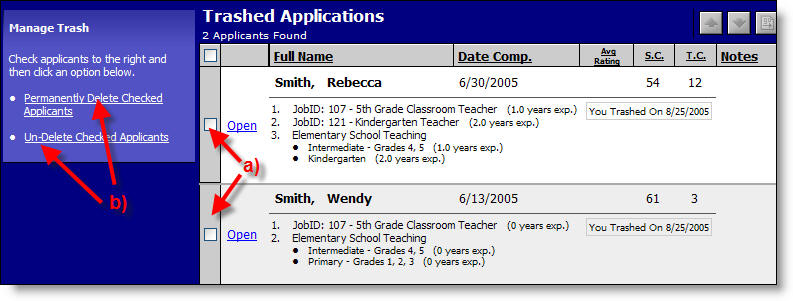
a) Click in the box to select applicants.
b) Click on an option to Permanently Delete the Checked Applicants or to Un-Delete Checked Applicants.
For more information try the following links.